
&
Product Documentation


Table of Contents
- Section 1: Business Transformation Case Study | System Implementation 3
- 1.1 Corporate Profile & Role Assignments 3
- 1.2 Legacy Workflow Vulnerability Analysis 3
- 1.3 System Implementation & Database Config 5
- 1.4 Mock Transaction Pipeline Walkthrough 5
- 1.5 Security Audit Trail and Verification Logs 7
- Section 2: Technical Reference Manual & Enterprise Accounting Specifications 9
- 2.1 Enterprise Accounting Product Overview & Software Frameworks 9
- 2.2 Target Service Industries & Core Business Mappings 12
- 2.3 Side Navigation Sequence Overview & Menu Hierarchy 15
- 2.4 Real-Time Corporate Dashboard & Financial KPIs 17
- 2.5 Multi-Level Chart of Accounts (COA) General Ledger Architecture 18
- 2.6 Cost Center Mapping & Project Dimensional Bookkeeping 18
- 2.7 Budget Control & Cost Overrun Prevention Parameters 19
- 2.8 Double-Entry Voucher Types & Transaction Templates (RV, PV, JV, SV) 21
- 2.9 Post-Dated Cheque (PDC) Management & Cash Flow Maturity Logic 22
- 2.10 Reporting Suite, Standard Statements & Ledger Audits 24
- 2.11 Global System Settings Panel & Database Parameter Mappings 31
- 2.12 Multi-Language RTL Translation & Gemini AI Chatbot Configurations 37
- Section 3: System Utilities, User Access Management (UAM) & Database Controls 39
- Section 4: Enterprise Feature Licensing Matrix & Feature Module Map 41
Section 1: Business Transformation Case Study | Real-World Financial System Implementation
This case study documents the business transformation of Happy Event Management (HEM), a boutique event coordination agency operating in major metropolitan areas. It details the operational vulnerabilities faced by the organization prior to 2026 and how the deployment of AQLign FinaSys Pro AI - Log resolved these pain points, providing strategic financial control.
1.1 Corporate Profile & Role Assignments
The system deployment maps roles directly to HEM's organizational structure to ensure segregation of duties and data validation:
- Tariq Mehmood (Founder & CEO): Uses the system to monitor corporate liquidity, review P&L performance across event projects, and query the database via the Gemini chatbot. He is mapped to the main Administrator profile to review all reports.
- Bilal Siddiqui (CFO): Configures the system parameters, locks fiscal periods (via
FiscalYearStartandFiscalYearEndsettings), registers budgets, and manages database backups. - Ayesha Khan (Lead Event Coordinator): Mapped to the
coordinatoruser profile. She registers cost codes, enters payment vouchers for decorators and catering services, and clearing matured cheques. Her profile is restricted from system configuration updates.
1.2 Legacy Workflow Vulnerability Analysis
Prior to implementation, HEM relied on a fragmented system of local Excel sheets, which created severe operational challenges:
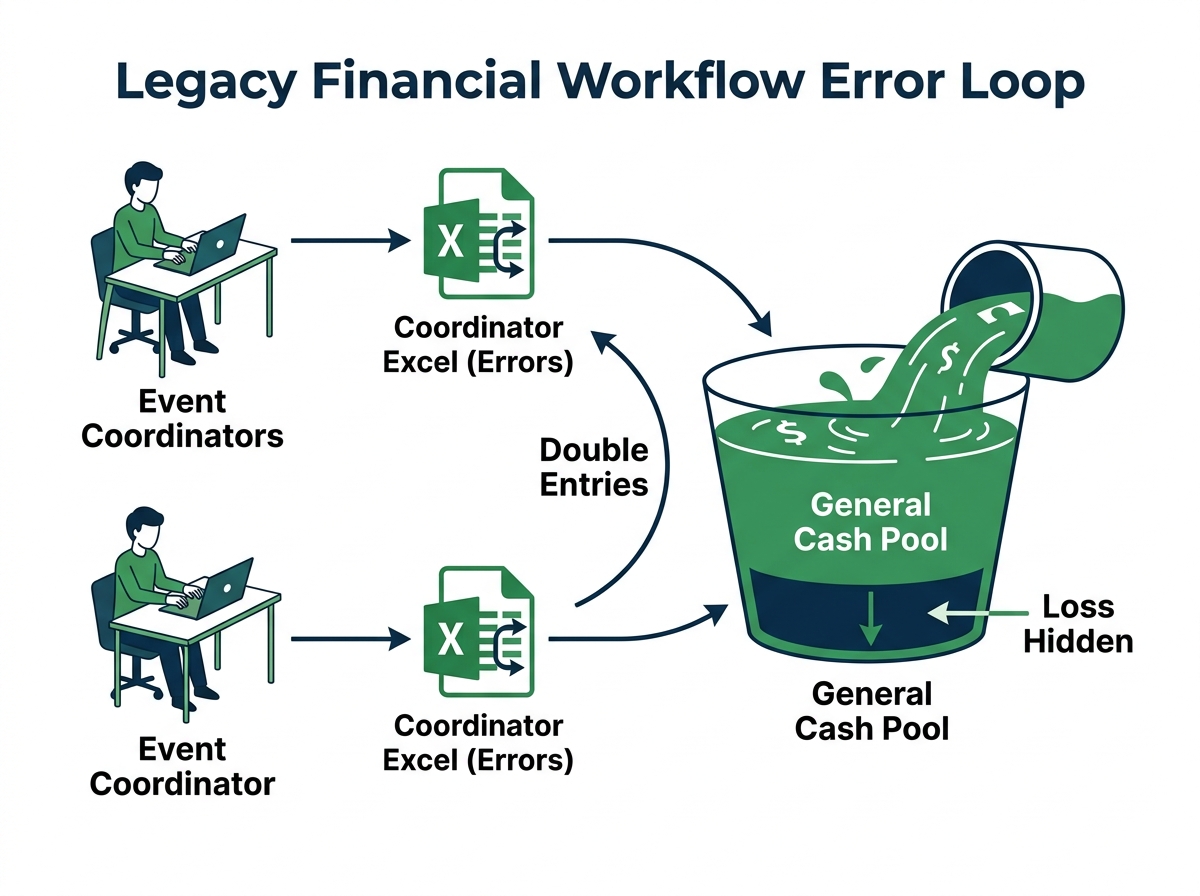
Without isolated project code categorization, cash and expenses were pooled into a single bank account ledger. If Ayesha Khan overspent on decor for one gala, the overrun was obscured by ticket deposits from other summits, hiding project-level losses.
1.3 System Implementation & Database Config
Under the supervision of Bilal Siddiqui, the AQLign double-entry engine was configured in the isolated Tenant_hem.db instance. Key configuration settings include:
- Chart of Accounts (COA) Design: Standard child accounts were mapped, including
4040(Event Ticket Revenue),4050(Sponsorship Revenue),5050(Venue & Decor Expense),5060(Sound & Lighting Expense), and5070(Catering Expense). - Cost Center Mapping: Projects were defined as cost centers:
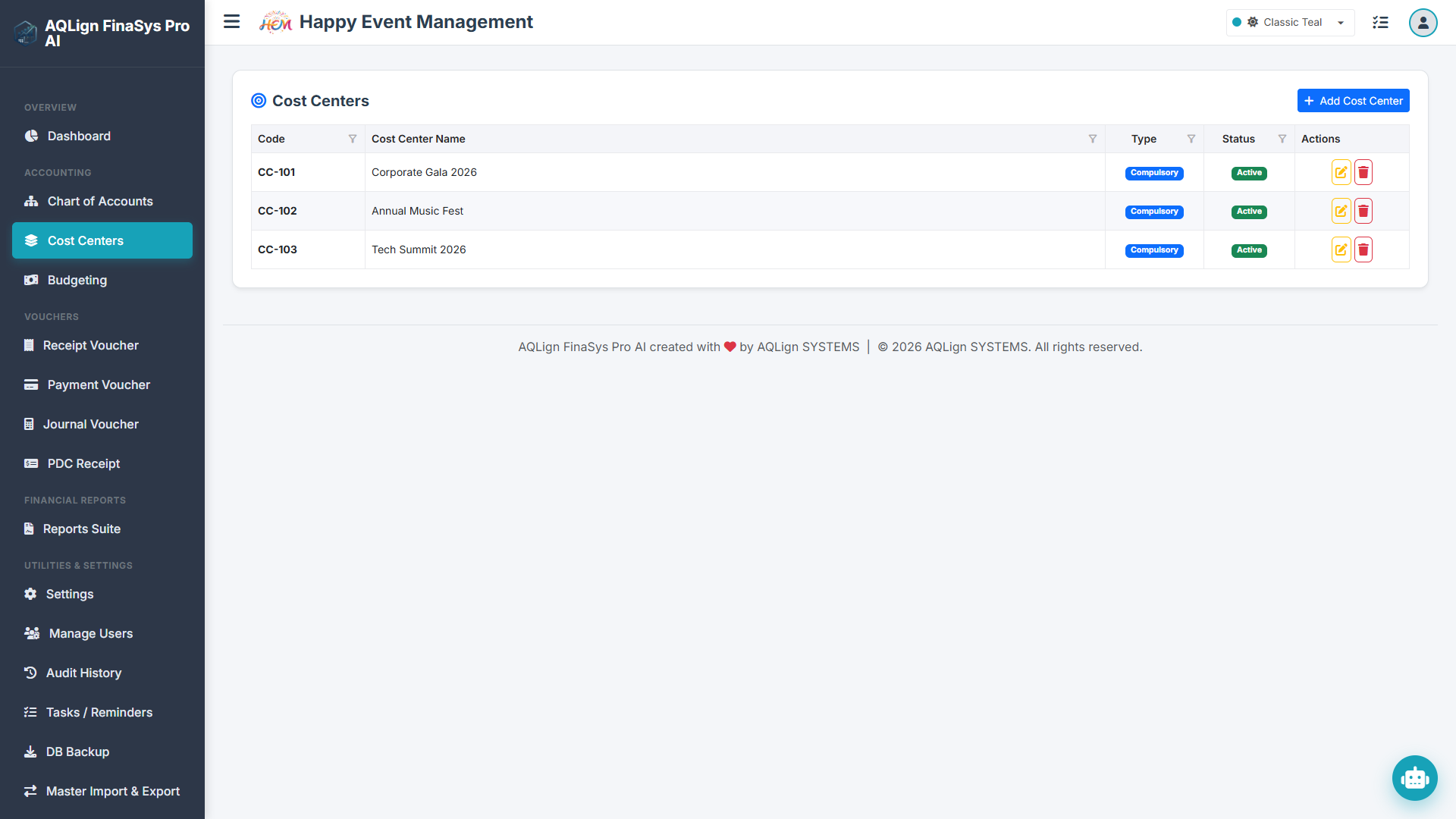
CC-101(Corporate Gala 2026),CC-102(Annual Music Fest), andCC-103(Tech Summit 2026). - Budget Constraints: Monthly caps were assigned:
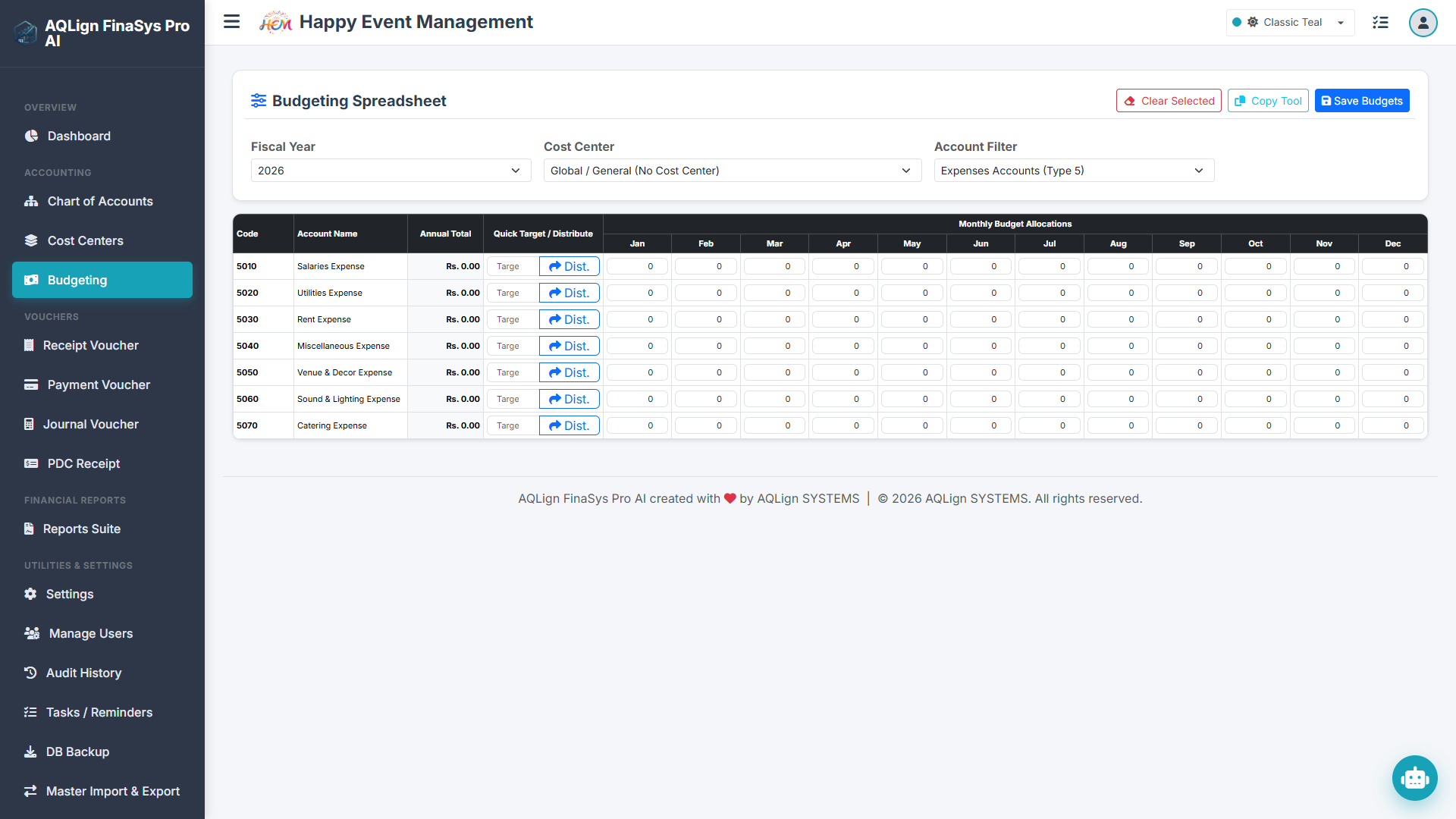
CC-101for Venue Decor (5050) was capped at 30,000 in February; Catering (5070) was capped at 20,000 in May. - Default Accounts: The default liquid accounts were locked to
1010(Cash in Hand) and1020(Cash at Bank) to simplify data entry for the coordinators.
1.4 Mock Transaction Pipeline Walkthrough
To validate the system configuration, mock data representing transactions from January 1st to June 30th, 2026, was seeded into the system:
| Voucher No | Date | Cost Center | Debit Account (Amount) | Credit Account (Amount) |
|---|---|---|---|---|
| RV-260115 | Jan 15, 2026 | CC-101 | 1010 Cash in Hand (75,000) | 4040 Ticket Revenue (75,000) |
| PV-260210 | Feb 10, 2026 | CC-101 | 5050 Venue & Decor (20,000) | 1020 Cash at Bank (20,000) |
| RV-260305 | Mar 05, 2026 | CC-102 | 1020 Cash at Bank (120,000) | 4050 Sponsorship (120,000) |
| PV-260412 | Apr 12, 2026 | CC-102 | 5060 Sound & Light (35,000) | 1020 Cash at Bank (35,000) |
| PV-260520 | May 20, 2026 | CC-101 | 5070 Catering Exp (15,000) | 1010 Cash in Hand (15,000) |
| JV-260601 | Jun 01, 2026 | General | 5030 Rent Expense (10,000) | 2010 Accounts Payable (10,000) |
| PV-260625 | Jun 25, 2026 | Mixed | 5010 Salaries [CC-103] (25,000) 5010 Salaries [CC-101] (20,000) |
1020 Cash at Bank (45,000) |
This transaction sequence demonstrates double-entry integrity. Ledger entries balance, and cost centers are recorded properly, ensuring that all subsequent reports can isolate event-specific balances.
1.5 Security Audit Trail and Verification Logs
To enforce accountability, Bilal Siddiqui simulated voucher changes to test the background audit engine:
- Modification Audit: On February 12, 2026, the user
coordinatormodified VoucherPV-260210, changing the venue decor payment from 12,000 to 20,000 to reflect an updated vendor deposit. The audit engine logged the change, capturing the timestamp, username, IP address, and the before-and-after transaction data. - Deletion Audit: On May 31, 2026, the
adminuser deleted a duplicate adjustment voucher (JV-260530, amounting to 5,000). The log captured the deleted voucher details, allowing recovery if needed.
The details of user audits are recorded in the security database when the Audit Logging add-on module is active, preventing untracked modifications to the ledger history.
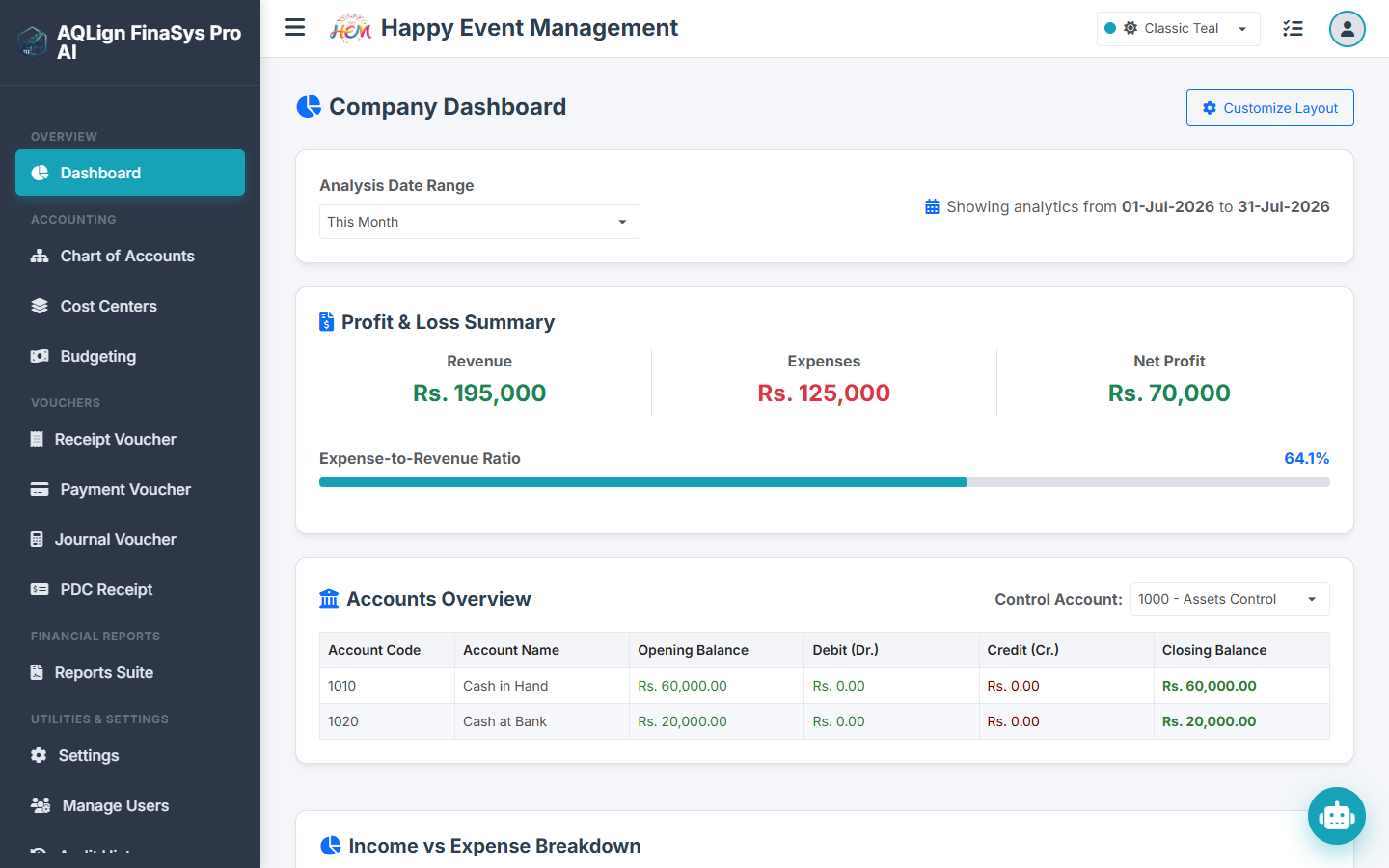
In addition to transaction logs, the system maintains a task log (e.g., floor plans, menu selections) assigned to staff members. This provides a clear record of operational tasks alongside financial entries.
Section 2: Technical Reference Manual & Enterprise Accounting Specifications
2.1 Enterprise Accounting Product Overview & Software Frameworks
The system is built on two primary architectural frameworks: the core AQLign FinaSys AI framework and the flagship AQLign FinaSys Pro AI framework. In addition, an optional **Audit Logging Module** is available as a cross-cutting add-on that can be enabled on top of either framework based on operational and security requirements.
2.1.1 Core Accounting Framework (AQLign FinaSys AI)
The AQLign FinaSys AI package is a focused, efficient bookkeeping and ledger management application tailored for small-sized service businesses, trading outlets, retail shops, and startup ventures. Engineered to deliver streamlined double-entry accounting, it allows owners and accountants to record cash receipts, bank payments, and general journal entries. The application maintains balanced financial statements and generates core reports including cashbooks, bankbooks, customer ledgers, supplier balances, and trial balances. With its fast performance and straightforward design, it is the perfect fit for boutique consulting firms, freelance agencies, independent clinics, and small retail merchants that need professional, standard ledger tracking.
A core strength of the application is its secure User Management System. Administrators can set up distinct accounts for accountants, cashiers, and managers, restricting access so that only authorized personnel can post entries, view reports, or edit settings. The system features a Task and Reminder System that helps users track billing due dates, payment cycles, and administrative tasks. To ensure business continuity, a built-in Database Backup and Restore tool allows users to download secure copies of their database, while the Master Import/Export utility enables fast data setup by importing charts of accounts, customers, and supplier lists directly from external spreadsheets.
System settings allow for high customization to support local operations. The Fiscal Year Definition tool prevents post-closing entry errors by locking transactions outside active financial dates. Users can toggle the Multi-Language Option to translate the UI dynamically between English, Urdu, and Arabic. An interactive Chatbot Helper is available, offering both command-based shortcut execution and advanced Gemini-supported natural language processing to assist users with accounting operations.
The financial interface can be customized with your local currency symbol, major/minor currency names (e.g., Dollars/Cents or Rupees/Paisa), and custom debit/credit coloring to highlight financial trends. It also features customizable negative number formats (e.g., parentheses or negative signs) and paper size selections. Finally, print layout customizations are built directly into the base application, allowing businesses to adjust the headers, footers, margins, and fields for cash receipt, payment receipt, and journal voucher printouts to match company stationery.
2.1.2 Advanced Operations & Intelligence Extensions (AQLign FinaSys Pro AI)
The AQLign FinaSys Pro AI framework represents the flagship enterprise edition that extends the core accounting framework with advanced operational modules. It is designed for larger service operations (such as Happy Event Management) that manage complex, multi-layered projects and require deep financial analysis. The Pro framework introduces:
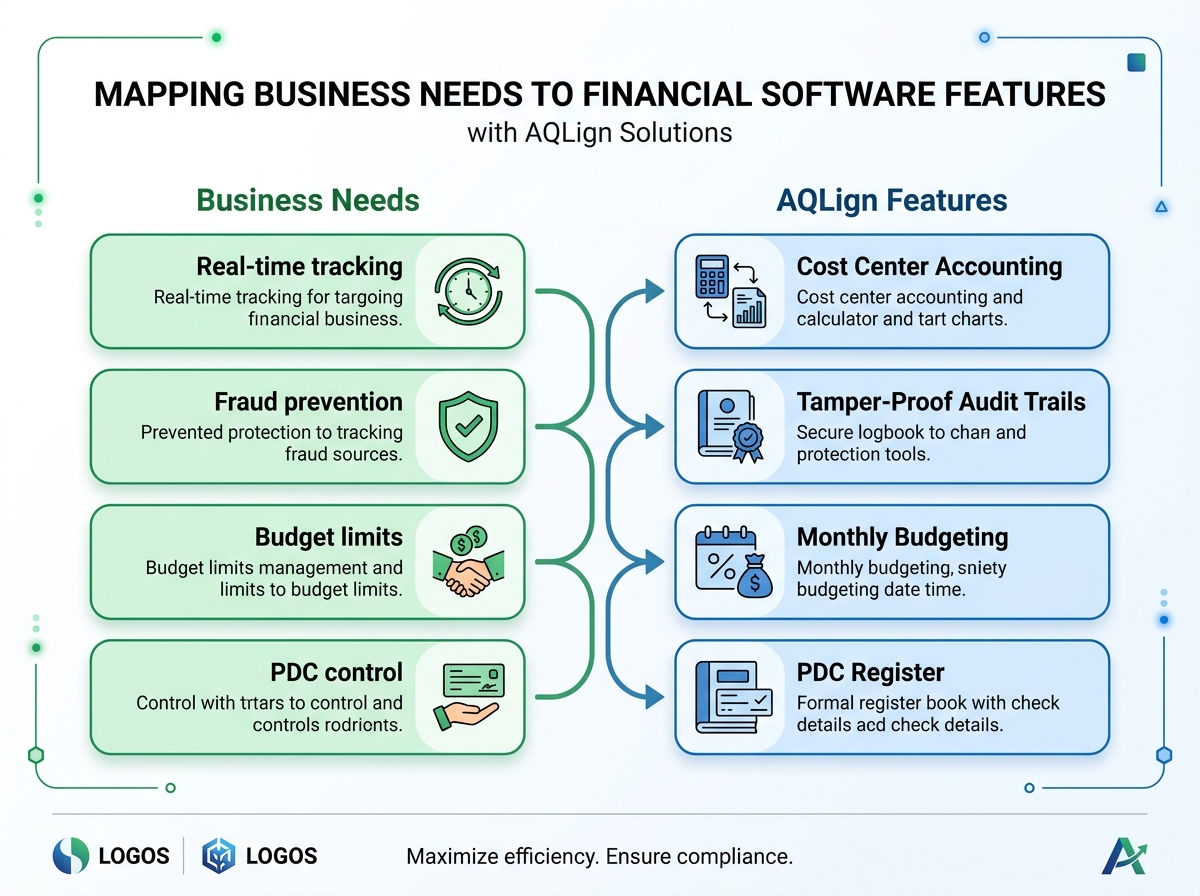
- Dimensional Tracking (Cost Center Accounting): Allows segregating and isolating all cash inflows, bank dispatches, and operational expenses to specific project codes (e.g., CC-101, CC-102), generating project-specific Profit & Loss statements.
- Active Budget & Overrun Limits: Establishes monthly budget caps per ledger account under cost centers to prevent over-spending by cashiers and coordinators.
- Post-Dated Cheque (PDC) Clearing Workflows: Tracks mature dates of customer checks, manages clearing states, and automatically posts Receipt Vouchers when cleared.
- Tamper-Proof Audit Logging (AI - Log): Maintains delta logs of every single transaction modification, override, or deletion with user identity, timestamp, and IP tracking.
2.2 Target Service Industries & Core Business Mappings
AQLign FinaSys AI and Pro are designed specifically to serve the diverse operational and billing workflows of service-oriented businesses. Below is a structured directory of some of the primary, most heavily benefiting target categories, highlighting their common business labels and the search keywords used by managers when evaluating accounting software (the system remains highly configurable and can adapt to serve many other service business models beyond this list).
| Service Industry Category | Common Local Business Labels | Search Tags & Keywords |
|---|---|---|
| Event Planning & Venues | Event Marquees, Caterers, Decorators, Banquet Services | "banquet hall booking system software", "wedding marquee billing app", "catering ledger management", "decorators advance payments". |
| Property & Societies | Gated Communities, Building Management, Mall Associations | "monthly maintenance billing software", "housing society dues manager", "commercial mall charges ledger", "condominium billing app". |
| Lifestyle & Wellness | Fitness Gyms, Social Clubs, Co-Working Spaces | "gym membership accounting software", "recreational club billing system", "co-working desk rent ledger", "subscription fitness club app". |
| Education & Academies | Coaching Centers, Tuition Academies, K-12 Private Schools | "coaching center fee collection system", "tuition academy student ledger", "private school outstanding fee tracker", "academy accounts book". |
| Broadband & Media | High-Speed Fiber Internet, Cable Television, Streaming Networks | "broadband internet billing software", "cable tv operator management ledger", "monthly internet subscription software", "isp billing system". |
| Logistics & Cargo | Goods Transport Agencies, Fleet Cargo Operators, Goods Booking Addas | "goods transport invoice software", "trucking commission accounting ledger", "cargo booking transport app", "daily fuel expense ledger". |
| IT & Software Houses | Software Houses, IT Agencies, SaaS Developers | "software house project profit calculator", "it agency cost center accounting", "client project billing ledger", "saas subscription billing app". |
2.3 Side Navigation Sequence Overview & Menu Hierarchy
The application interface uses a sidebar navigation system to guide users through workflows. The standard menu hierarchy is presented vertically below:
- 📁 Dashboard (Visual widgets, financial charts, and KPIs)
- 📁 Accounting (Core financial ledgers and transaction inputs)
- 📄 Chart of Accounts (COA Setup tree)
- 📄 Cost Centers (Project dimensional mapping)
- 📄 Budgeting Setup (Monthly expense limit allocations)
- 📄 Voucher Entry (RV, PV, JV, SV inputs)
- 📄 PDC Receipts (Post-Dated Cheques Register)
- 📁 Reporting Suite (Financial statements and ledger exports)
- 📄 Chart of Accounts (COA) Report
- 📄 Voucher Register
- 📄 General Ledger Report
- 📄 Cash Book & Bank Book
- 📄 Receipts & Payments Statement
- 📄 Cash Flow Report
- 📄 Trial Balance (2-Column & 6-Column)
- 📄 Voucher Audit Report
- 📄 Profit & Loss Statement (Cost Center P&L)
- 📄 Income Statement
- 📄 Balance Sheet
- 📄 Budget Variance Report
- 📄 PDC Register Report
- 📁 Utilities & Settings (Environment profiles and dispatches)
- 📄 User Access Management (UAM permissions)
- 📄 Backup & Restore database utilities
- 📄 Master Import/Export (Excel interfaces)
- 📄 Settings Panel (35 configuration fields)
2.4 Real-Time Corporate Dashboard & Financial KPIs
The primary control panel interface. It presents key figures, balance metrics, and task progress indicators.
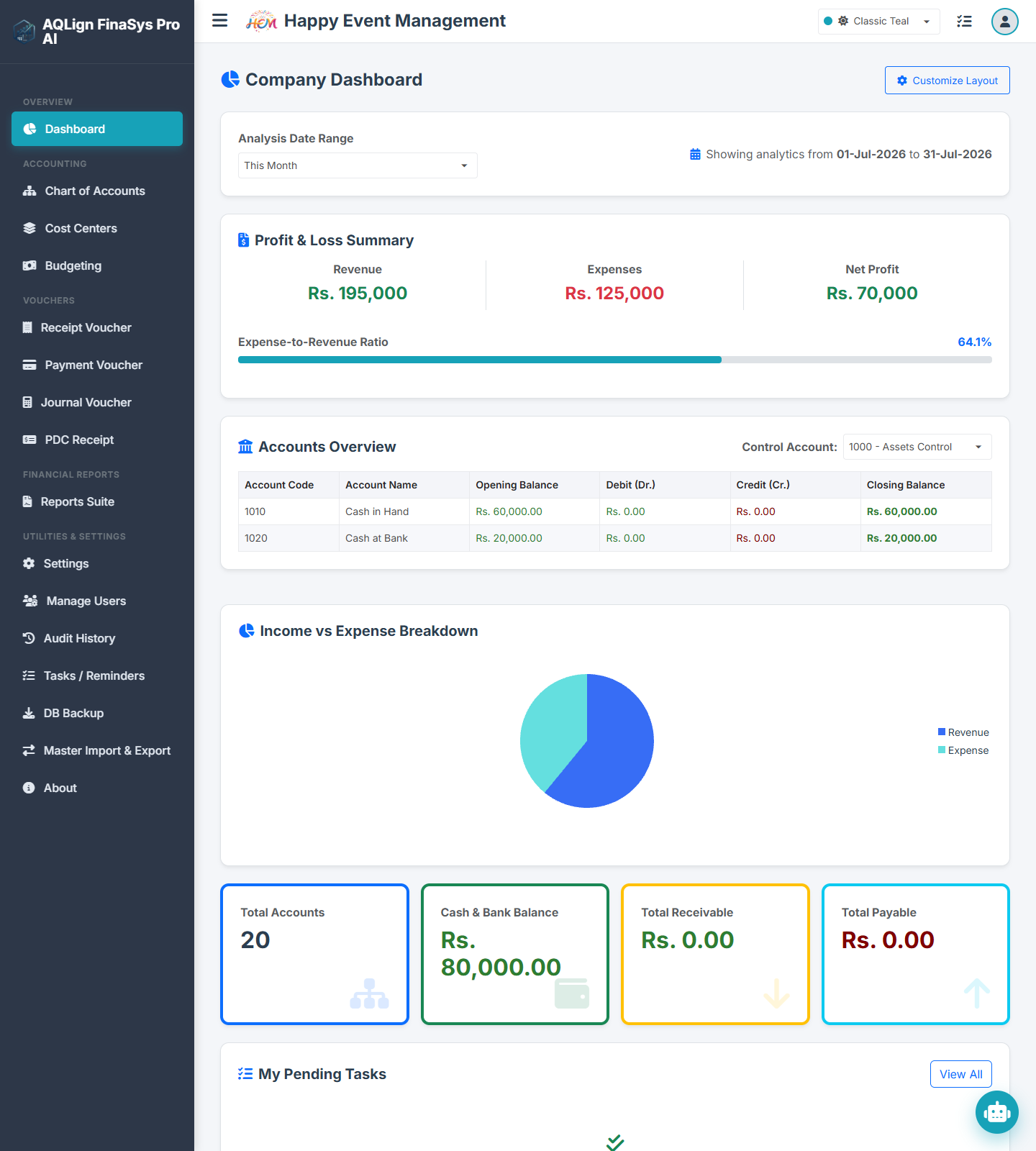
- Widget Rendering: Displays real-time cash, bank, and ledger totals. Users can customize widget visibility using the dashboard settings.
- Access Control: Widget data is filtered based on user permissions. A user without P&L permissions will not see profitability graphs on their dashboard.
- Data Update: The dashboard values are recalculated in real-time as vouchers are posted, eliminating manual batch updates.
2.5 Multi-Level Chart of Accounts (COA) General Ledger Architecture
The database configuration screen for the double-entry account ledger tree structure.
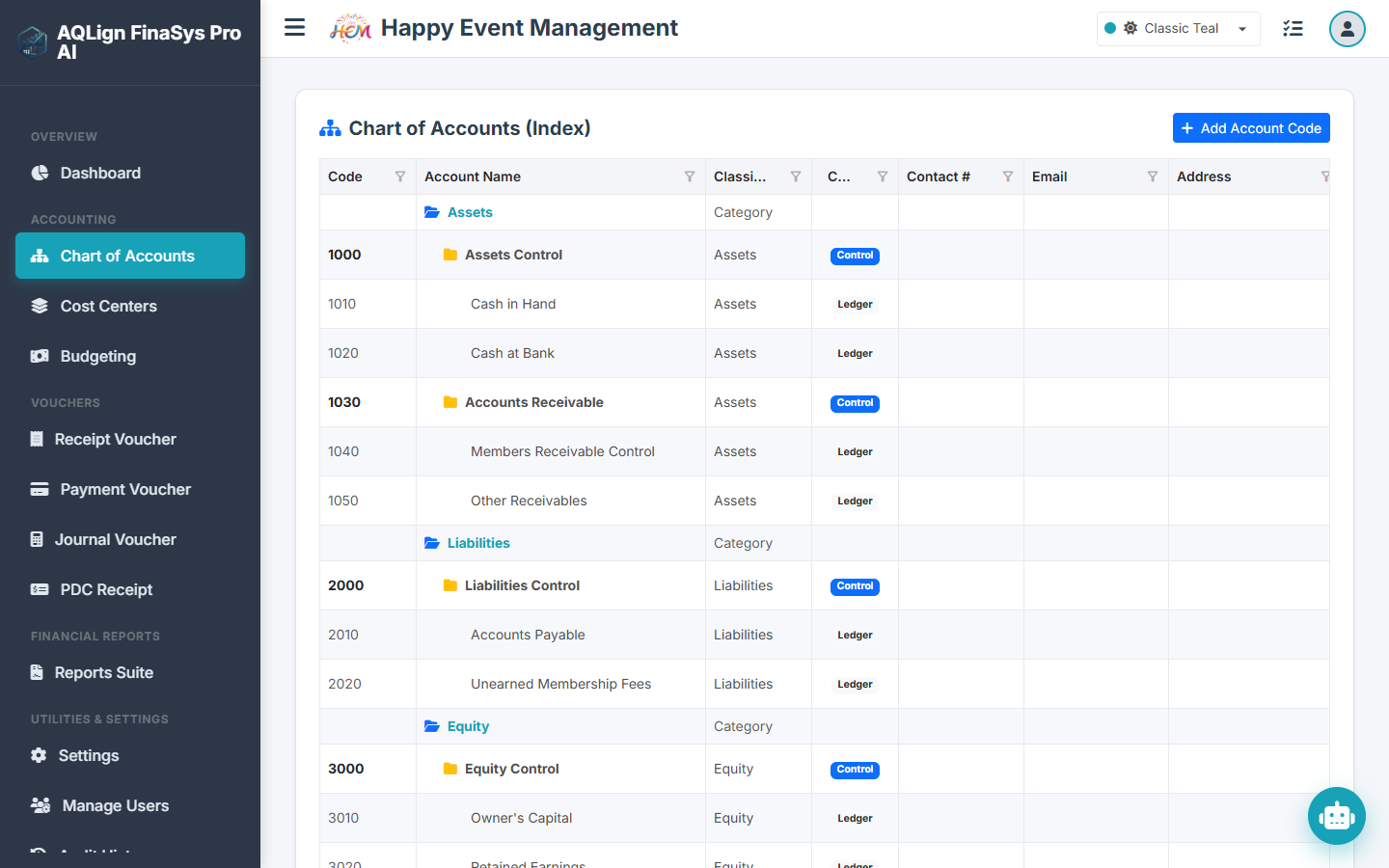
- Account Types: Assets, Liabilities, Equities, Revenues, Expenses.
- Parent-Child Structure: Level-1 control groups (e.g., Cash, Receivables) categorize lower-level transaction accounts (e.g., Chase Bank, Petty Cash).
- Fields: Account Code, Account Title, Category, Parent Group Selector, Active Toggle.
2.6 Cost Center Mapping & Project Dimensional Bookkeeping
Cost Centers track expenses and revenues for specific projects or departments, keeping them separate from general administration.
- Fields: Center Code, Center Name, Manager, Status Toggle.
- Validation Rules: Transaction inputs can be configured to require a cost center for specific expense accounts, preventing incomplete entries.
2.7 Budget Control & Cost Overrun Prevention Parameters
Allows setting monthly spending limits on specific accounts for cost centers. The system checks actual costs against budget limits during voucher entry, helping to prevent overruns.
2.8 Double-Entry Voucher Types & Transaction Templates (RV, PV, JV, SV)
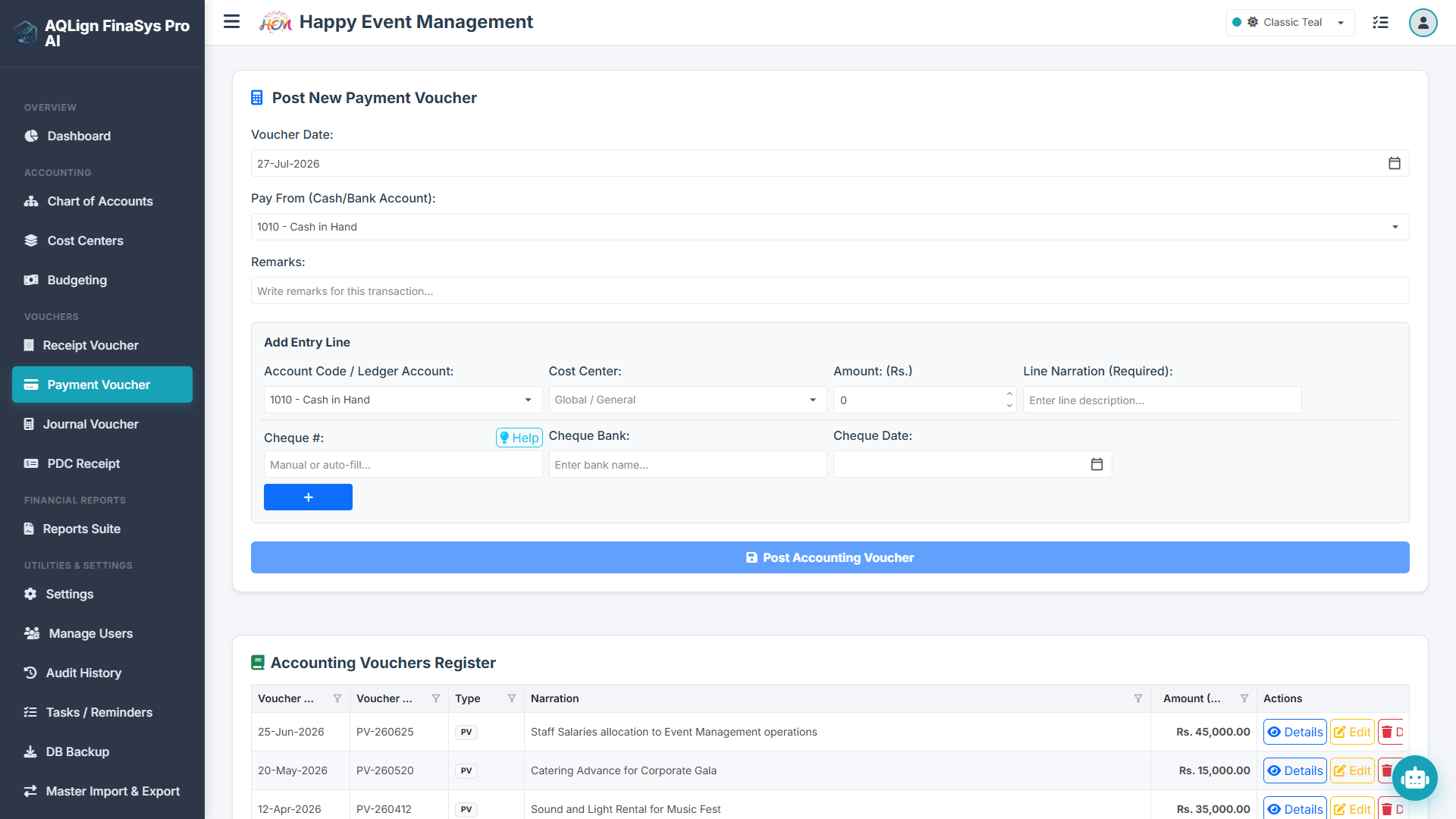
Transactions are recorded using four standardized voucher templates to ensure consistent data entry:
- Receipt Voucher (RV): Records cash and bank deposits. The credit line must be mapped to a revenue or asset account, while the debit line is automatically allocated to the cash or bank account.
- Payment Voucher (PV): Records vendor payments and expenditures. The debit line is mapped to an expense or liability, while the credit line defaults to cash or bank.
- Journal Voucher (JV): Used for adjustments, depreciation, and allocations. Both debits and credits are manually entered.
- Service Voucher (SV): Used to record vendor bills and credit purchases.
System Validations: Vouchers require balanced entries (Total Debits = Total Credits). The system checks this in real-time, blocking unbalanced vouchers from being posted.
2.9 Post-Dated Cheque (PDC) Management & Cash Flow Maturity Logic
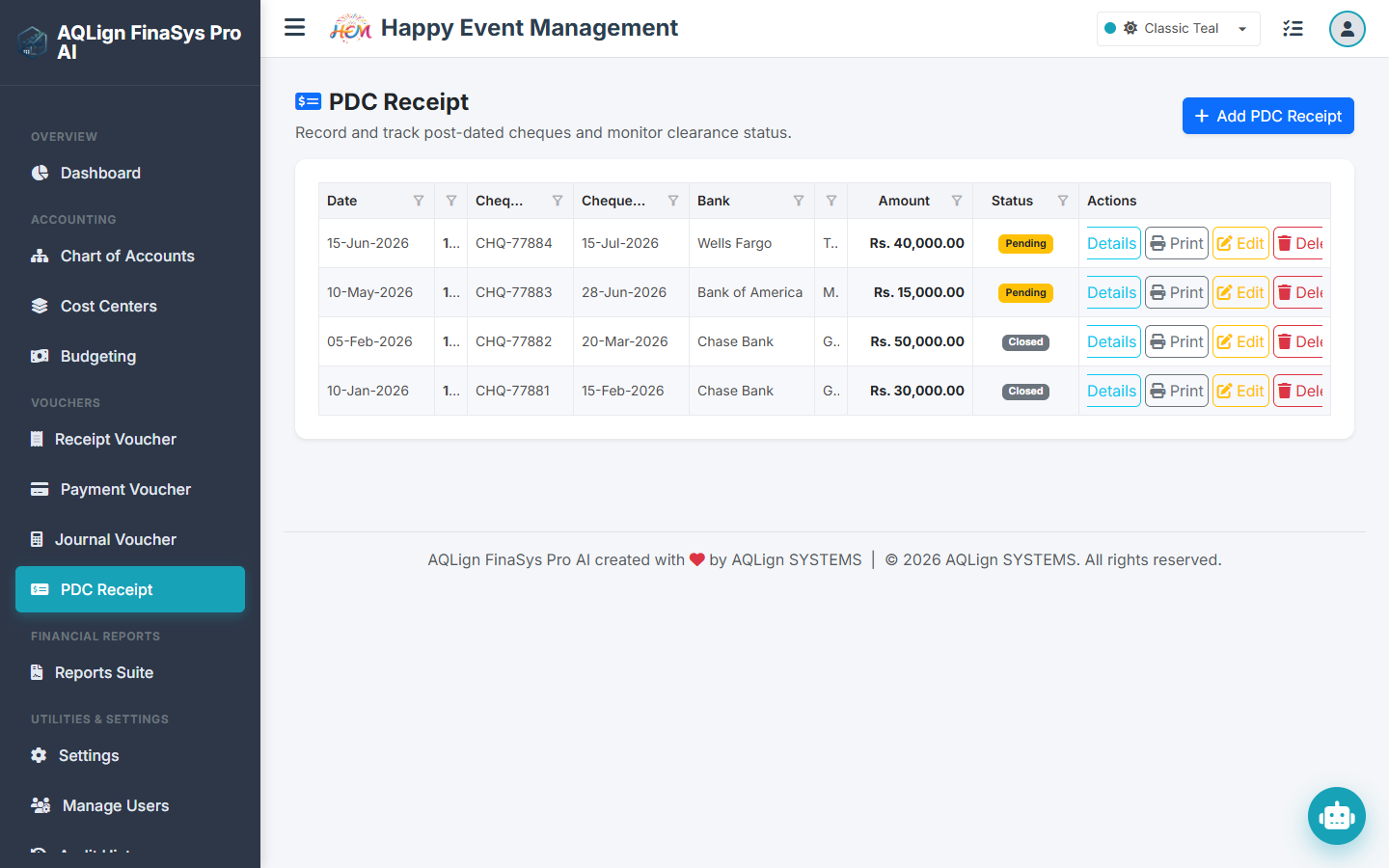
Tracks incoming client cheques with future dates, keeping them in a pending state until they mature.
- Cheque Registration: Stores details including cheque number, bank name, mature date, and amount.
- Maturity Alerts: Cleared checks automatically generate corresponding RV entries.
- Cash Flow Integration: Details are mapped to cash flow reports to improve liquidity forecasting.
2.10 Reporting Suite, Standard Statements & Ledger Audits
The reporting engine compiles transaction data into formatted reports. Below are the details for the reports:
2.10.1 Chart of Accounts (COA) Report
Generates a list of all active ledger accounts, showing the account hierarchy. Used by auditors to verify the structure of the general ledger.
2.10.2 Voucher Register & Voucher Audit Report
The **Voucher Register** is a search index of all transaction entries (RV, PV, JV, SV) within a date range, with filters by cost center, user, and ledger code. The **Voucher Audit Report** tracks changes made to vouchers, showing user details, edit logs, and data history snapshots.
2.10.3 General Ledger Report
Displays detailed transaction histories, debit/credit entries, and running balances for individual accounts.
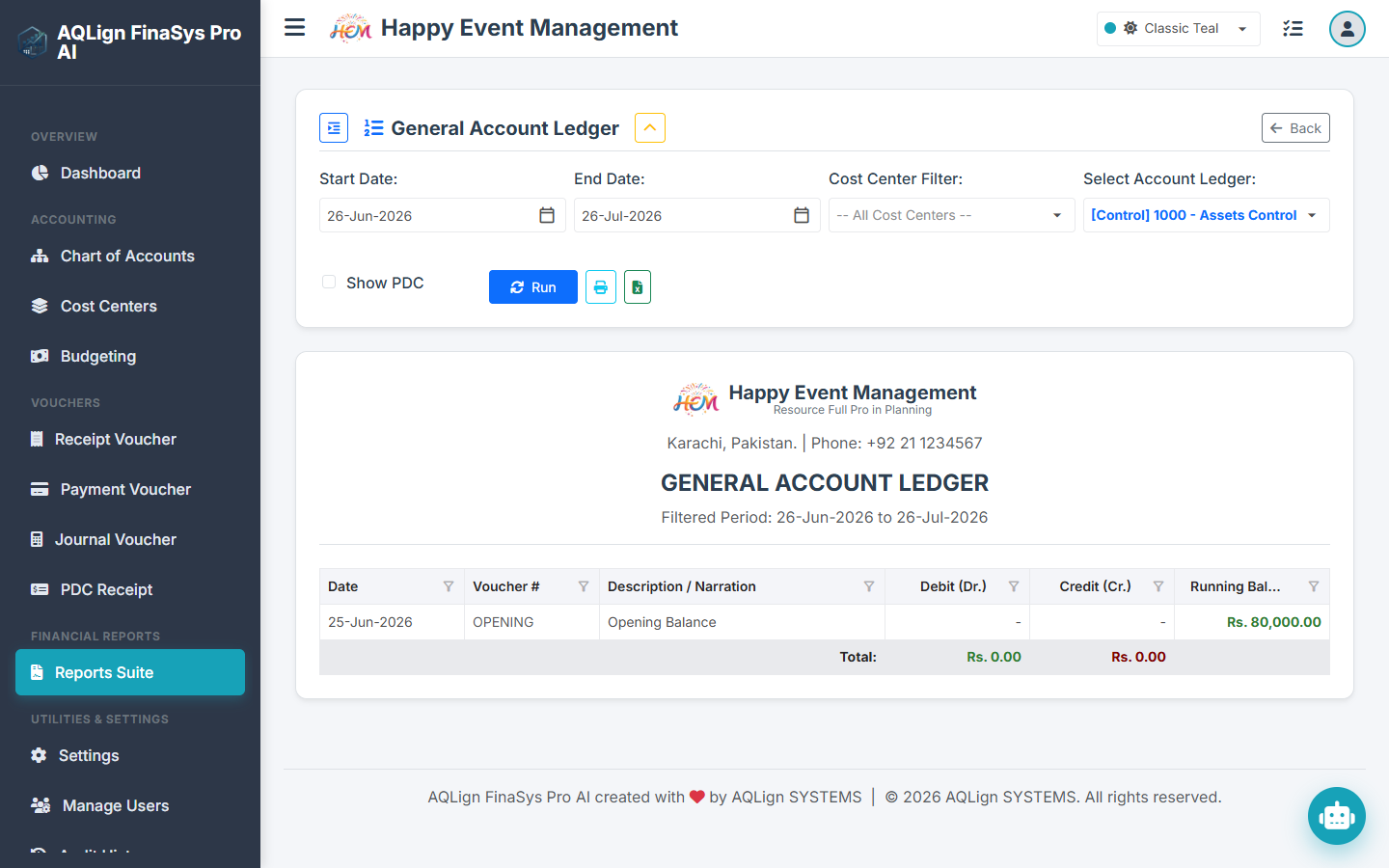
Filters: Account Selection, Date Range, Cost Center. This report allows managers to review all entries posted to specific accounts (e.g. venue decor, salaries) for a selected event.
2.10.4 Cash Book & Bank Book
Tracks daily opening balances, deposits, withdrawals, and closing balances for cash and bank accounts. This is essential for verifying that physical cash matches system ledger figures.
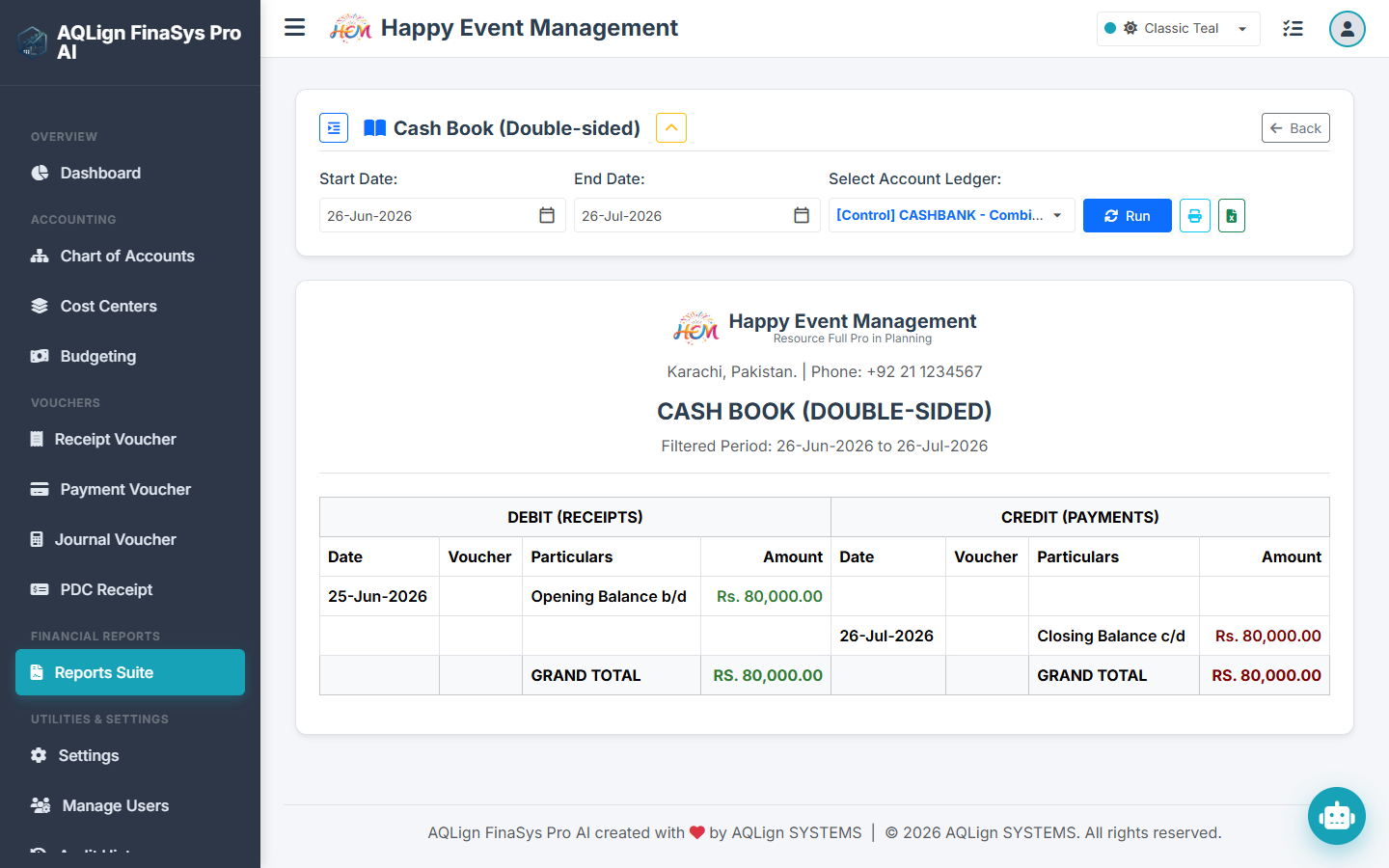
2.10.5 Receipts & Payments Statement
Summarizes cash flow over a date range, grouping receipts and payments by account type to help managers evaluate liquidity.
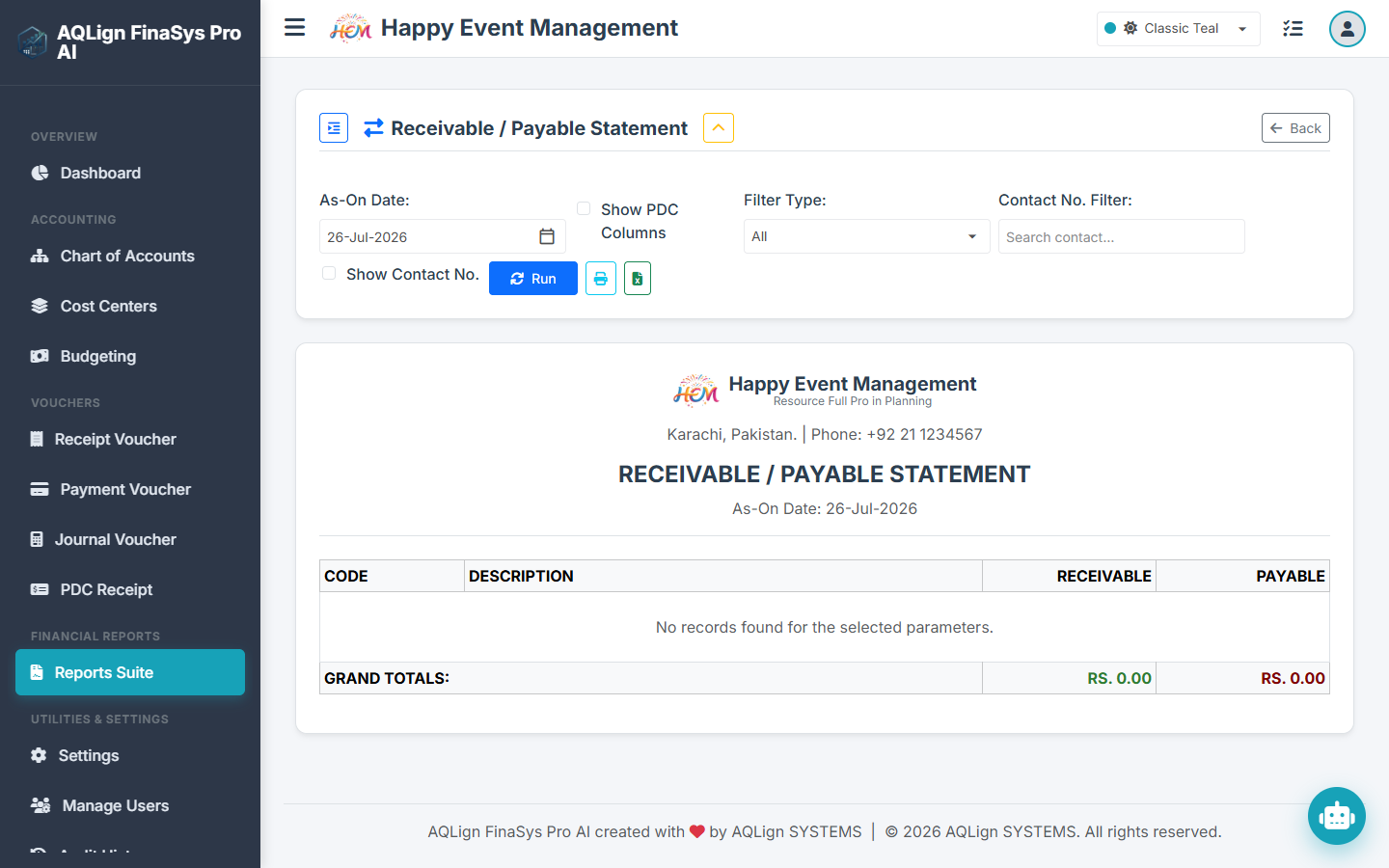
2.10.6 Cash Flow Report
Standard cash flow statement summarizing operating, investing, and financing cash flows, used to evaluate corporate cash generation capability.
2.10.7 Trial Balance (2-Column & 6-Column)
Summarizes active accounts. - **2-Column:** Displays net debit/credit balances. - **6-Column:** Displays opening balances, transactional activity (debits/credits), and final closing balances. This provides a quick verification that the double-entry accounting ledger is balanced.
2.10.8 Profit & Loss Statement (Cost Center P&L)
Isolates revenue and expense postings to a specific cost center, displaying the net profit margin of the project.
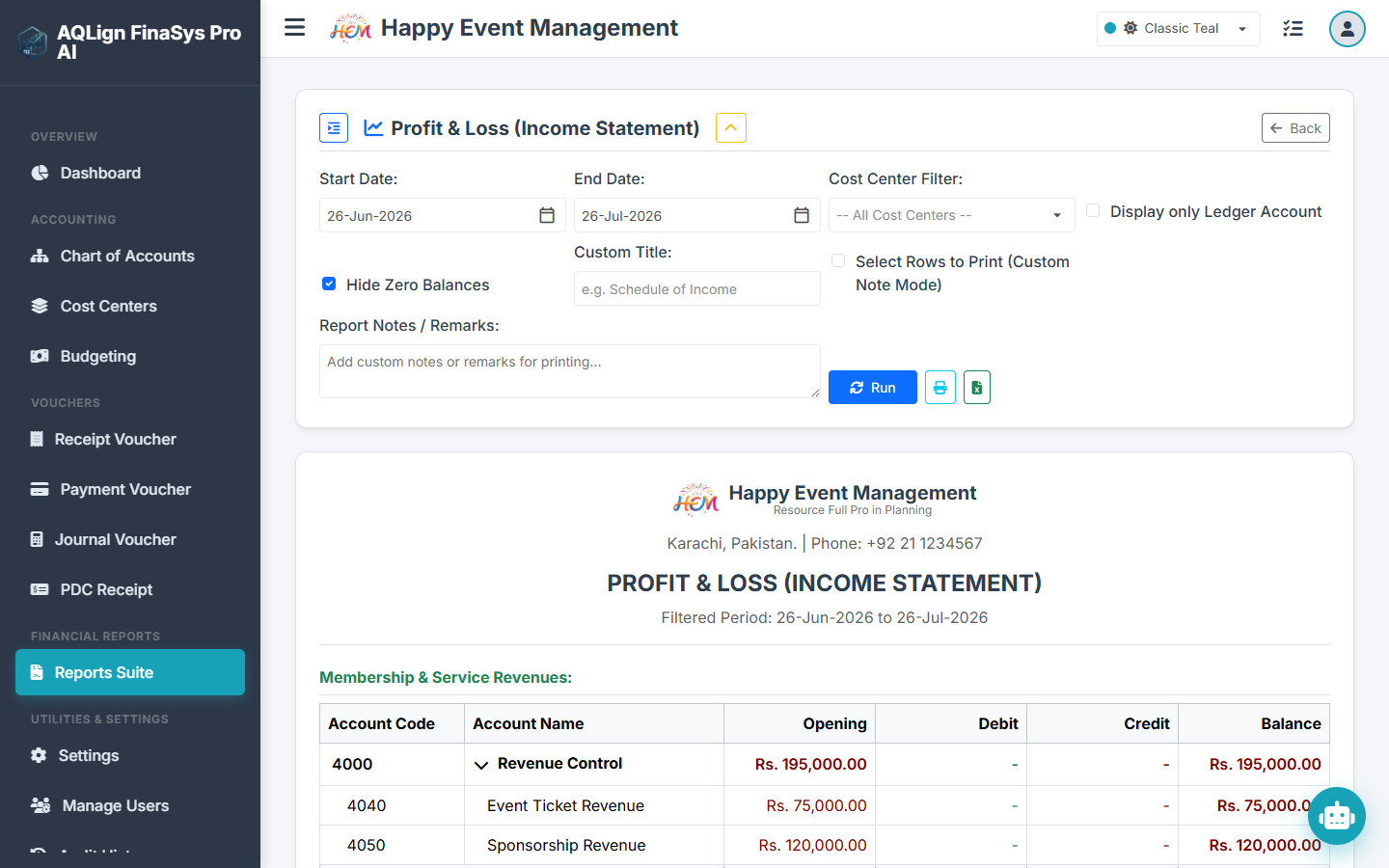
2.10.9 Income Statement
The standard corporate Profit & Loss report, summarizing total company revenues and expenditures over a period, separate from cost center segments.
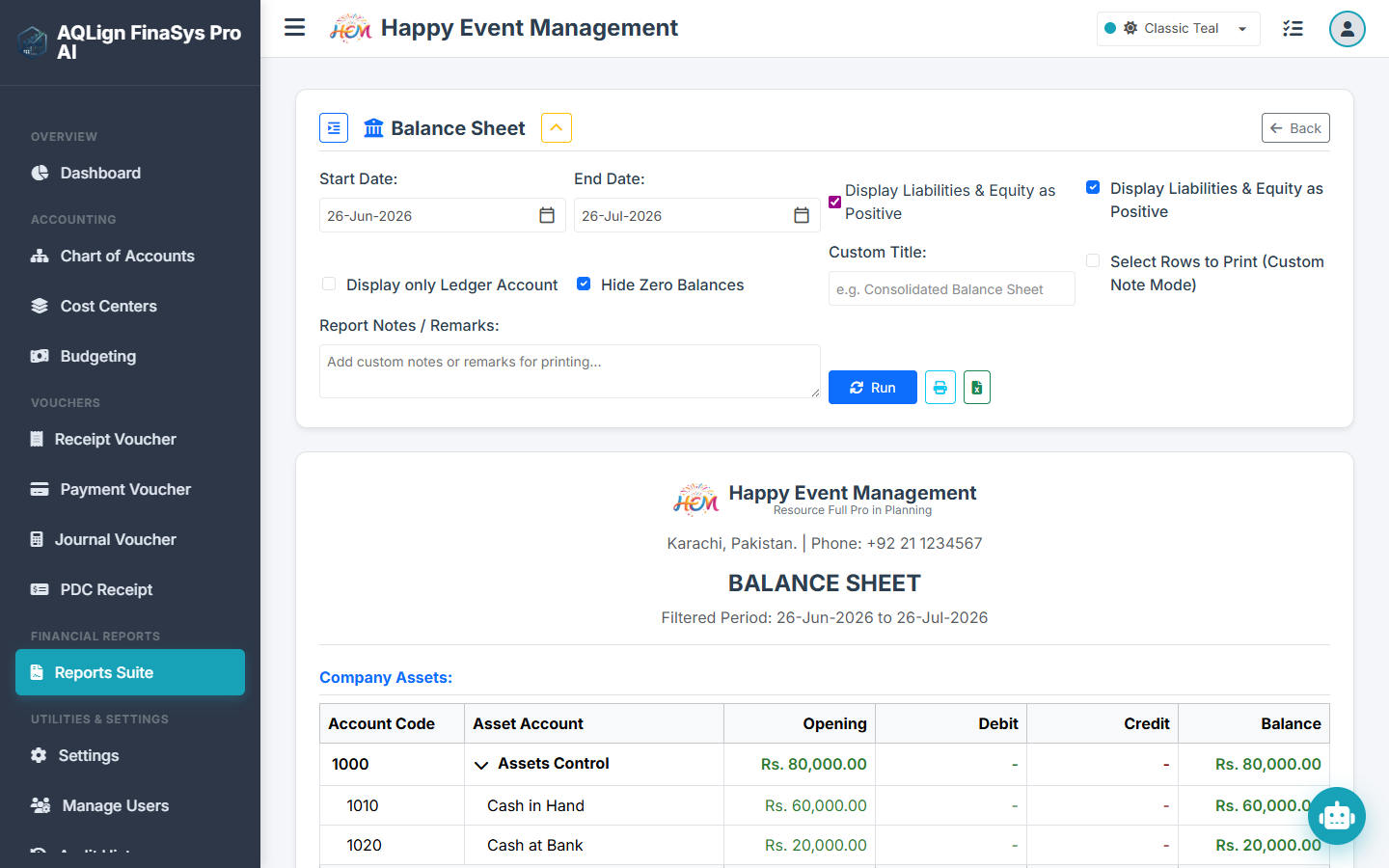
2.10.10 Balance Sheet
Summarizes the firm's assets, liabilities, and equity at a specific point in time, indicating the overall net worth of the company.
2.10.11 Budget Variance Report
Compares actual monthly expenditures against budget limits for specific cost centers. It instantly highlights areas of overspending, helping Bilal Siddiqui take corrective action before a project loses money.
2.10.12 PDC Register Report
Lists all registered post-dated cheques, categorized by pending, cleared, and bounced states. This improves cash forecasting by detailing exactly when pending client cheques will mature.
2.10.13 Voucher Audit Report
A targeted audit report displaying a chronological list of modifications, price overrides, and deletions made to vouchers. This is used by auditors to monitor operational standards and detect unauthorized changes.
2.11 Global System Settings Panel & Database Parameter Mappings
The Settings panel manages general defaults, print templates, regional configurations, and chatbot settings. Below is the list of parameters mapped to the database schema:
| Setting Parameter | DB Column Name | Purpose and Business Value |
|---|---|---|
| Company Profile | CompanyName, Slogan, Address, ContactNumber |
Configures general company details displayed on invoices and dispatch headers. |
| Company Logo | LogoBase64 |
Stores the binary image of the company logo. |
| Default Cash Account | DefaultCashAccount |
Auto-populates the default cash ledger code (e.g. 1010) in RV/PV screens. |
| Default Bank Account | DefaultBankAccount |
Auto-populates the default bank ledger code (e.g. 1020) in transactions. |
| Control Account | CashBankControlAccount |
Sets the parent asset group to restrict transaction postings. |
| Fiscal Controls | FiscalYearStart, FiscalYearEnd |
Defines lock dates. Posting vouchers outside this range is blocked. |
| Currency Symbol | CurrencySymbol |
Defines currency characters (e.g. Rs., $, AED). |
| Currency Words | MajorCurrency, MinorCurrency |
Text labels for printouts (e.g., Dollar/Cents, Rupees/Paisa). |
| Debit/Credit Highlights | DebitColor, CreditColor |
Custom CSS colors to highlight debit and credit figures in reports. |
| Negative Format | NegativeFormat |
Selects formatting for negative values: Minus prefix (-1,000), brackets ((1,000)), or red highlight. |
| Paper Size Layout | PrintPaperSize |
Selection list for printer page setups (Letter, A4, Legal, A5, or Thermal receipt size). |
| Logo / Slogan Toggles | ShowLogoOnBill, ShowSloganOnBill |
Toggles to show/hide branding headers on dispatches. |
| Custom Print Footer | CustomPrintFooter |
Holds custom terms, bank details, or thank-you notes printed at the bottom of bills. |
| Setting Parameter | DB Column Name | Purpose and Business Value |
|---|---|---|
| Custom HTML Print | EnableCustomHtmlTemplate, BillPrintTemplateHtml |
Enables custom HTML/CSS template overrides for customer bills. |
| Voucher Print Overrides | EnableCustomVoucherTemplate, VoucherPrintTemplateHtml |
Overrides the standard voucher print layout. |
| PDC Slip Overrides | EnableCustomPdcTemplate, PdcPrintTemplateHtml |
Overrides default PDC receipts slip designs. |
| Interface Language | LanguageCode |
Configures interface translations (English, Urdu, Arabic). |
| System Typography | SelectedFontName |
Switches typography to match local fonts (e.g. Cairo for Arabic, Noto Nastaliq Urdu for Urdu, Inter/Outfit for English). |
| Font Scaling | SelectedFontSize |
Set font scaling (Small, Normal, Medium, Large, Extra Large). |
| Chatbot Profile Mode | ChatbotMode |
Selects the active chatbot profile (Disabled, Command-Based, or Gemini LLM-Based). |
| Gemini API Key | GeminiApiKey |
Secure database storage for the Gemini API key, enabling the LLM engine to parse and summarize reports in natural language. |
| SMTP Server Settings | SmtpHost, SmtpPort, SmtpUsername, SmtpPassword, SmtpEnableSsl, SmtpFromEmail, SmtpFromName |
Configures company SMTP server details for automated report dispatches. |
| Audit Log Retention | AuditLogRetentionDays |
Sets the retention period. Logs older than this value are purged. |
| Default Cost Center | DefaultInvoiceCostCenterId, DefaultReceiptCostCenterId |
Pre-allocates default cost center values in incoming receipts. |
| Support Ticketing | EnableSupportTickets, SupportNotificationEmail, TicketSubjectPrefix |
Configures helpdesk ticketing and dispatches. |
2.12 Multi-Language RTL Translation & Gemini AI Chatbot Configurations
AQLign FinaSys Pro features extensive multi-language capabilities built directly into the core engine. Rather than translating just static labels, the application is capable of translating the entire user interface dynamically.
- Dynamic RTL Layout Adaptation: Selecting Arabic or Urdu as the interface language shifts the screen layout to Right-to-Left (RTL). Columns, menus, form labels, and inputs align to fit the language reading flow.
- Localized Typography Engines: The settings panel supports selectable typography options to display translations properly. Selecting Urdu maps the text elements to Noto Nastaliq Urdu, while Arabic maps text to Cairo or Amiri to ensure legibility.
2.12 Dual-Mode Chatbot Configuration
The system features an interactive chatbot that provides natural-language business intelligence queries. The chatbot operates in two modes:
- Command-Based Mode: Processes simple predefined commands (e.g.
/ledger 5050or/balance bank) to quickly return database views, making navigation faster. - LLM-Based (Gemini AI) Mode: Enabled by entering a valid Gemini API key in settings. The LLM parses database tables to answer complex queries, analyze variances, and summarize reports in natural text.
This allows managers to ask: "Which cost center has the highest variance this month?" and receive a summarized explanation instantly.
Section 3: System Utilities, User Access Management (UAM) & Database Controls
This section outlines security protocols, database management tools, and access controls in the system.
3.1 User Access Management (UAM)
Administrators can configure granular permission flags in Users to restrict user access:
- Voucher Entries Permission: View, Add, Edit, or Delete permissions for RV, PV, JV, and SV screens.
- Report View Permissions: Granular toggles to restrict access to specific reports, ensuring sensitive information like the Balance Sheet remains confidential.
- Master Settings Access: Restricts configuration edits to the administrator account.
3.2 Audit Logging Engine
An active background security monitor. Every transaction post, edit, price override, or deletion is tracked with details:
- Action Types:
Create,Update,Delete,Login. - Timestamps & IP: Tracks date, time, and source IP address.
- Voucher Delta Logs: Records before-and-after transaction snapshots, allowing recovery of modified entries.
3.3 Database Utilities
Includes utility tools to manage database states:
- Master Data Import/Export: Import charts of accounts or vendor lists from Excel.
- Database Backup & Restore: Creates on-demand compressed backup files of the active relational database on disk.
Section 4: Enterprise Feature Licensing Matrix & Feature Module Map
The table below summarizes the availability of features and reports across licensing tiers:
| Feature / Report Name | AQLign FinaSys AI (Base Accounting) | AQLign FinaSys Pro AI (Advanced Accounting Add-on) | Audit Logging (Optional Module Add-on) |
|---|---|---|---|
| Chart of Accounts (COA) Tree Setup | Available | Available | Available |
| Voucher Entries (RV, PV, JV, SV) | Available | Available | Available |
| General Ledger & Cash Book Reports | Available | Available | Available |
| Receipts & Payments cash flow summary | Available | Available | Available |
| Trial Balance (2-Column & 6-Column) | Available | Available | Available |
| Voucher Audit Report | Available | Available | Available |
| Cost Centers & Monthly Budget Allocations | Restricted | Available | Available |
| Post-Dated Cheques (PDC) Register | Restricted | Available | Available |
| Income Statement (P&L) Report | Restricted | Available | Available |
| Balance Sheet Statement Report | Restricted | Available | Available |
| Cost Center P&L and Variance Reports | Restricted | Available | Available |
| PDC Clearing Register Report | Restricted | Available | Available |
| Security User Activity Audit Logging | Restricted | Restricted | Available |